
AI customer service tools have become very good at sounding helpful. They can answer questions instantly, retrieve information from connected systems, and guide customers through increasingly complex tasks.
The challenge is that sounding helpful and actually being helpful are not the same thing. A chatbot can confidently tell a customer that an appointment has been rescheduled, a balance is correct, or a problem has been resolved even when the underlying system says otherwise. That risk increases as businesses connect AI to billing platforms, CRMs, healthcare records, scheduling tools, and other operational systems. At that point, the chatbot is no longer just answering questions; it is interacting with the systems that run the business.
Customer-facing AI can absolutely reduce friction, improve availability, and take repetitive work off employees’ plates. The mistake is treating it like a plug-and-play website widget instead of operational software that needs thoughtful design, testing, and guardrails.
Before you put an AI-powered tool in front of customers, run through the FRAME checklist. FRAME stands for Funnel Stage, Risk, Authority, Mechanism of Truth, and Escalation, and each part answers a question that should be settled before launch.
If you want a practical way to apply FRAME to your own customer-facing AI, download our free step-by-step guide and use it to assess each part of your implementation before launch.
F: Funnel Stage
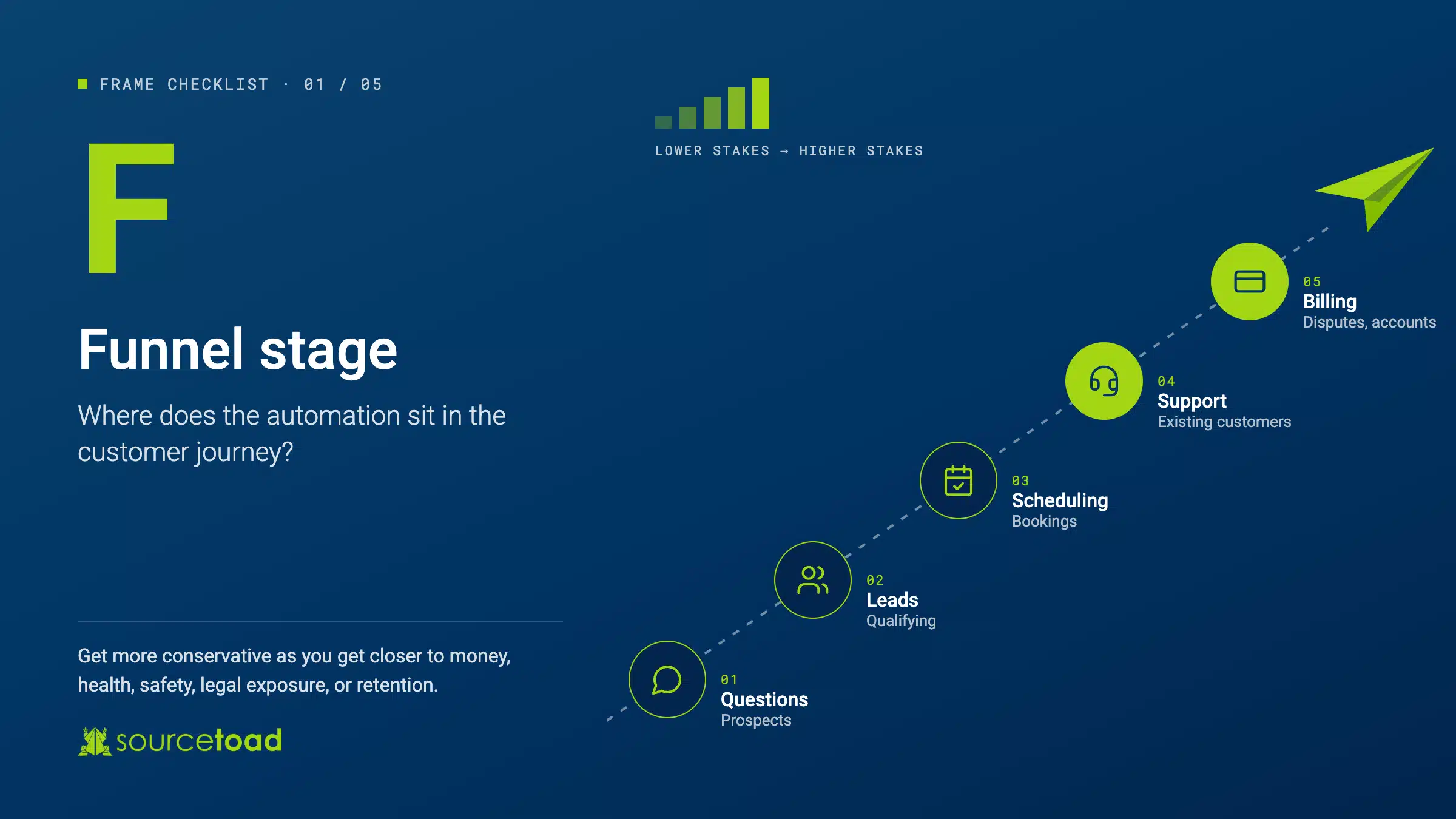
Start by asking where the automation sits in the customer journey. A chatbot answering basic questions for a prospective customer should not be treated the same way as a system handling billing disputes, account changes, or support issues for an existing customer.
Pre-sale automation is often lower risk because the system is typically answering service questions, collecting information, qualifying leads, or helping with scheduling. If it fails, the result may be a missed booking, a bad estimate, or a frustrated prospect.
The stakes rise once the customer is already engaged with the business. Support requests tend to involve exceptions, mistakes, account-specific information, or situations where the customer is already frustrated. Those interactions require more context, and the consequences of getting them wrong are usually higher.
Before launch, identify exactly where the AI sits in the customer journey and what kinds of interactions it is allowed to handle. As the automation gets closer to money, health, safety, legal exposure, or customer retention, the system should become more conservative.
R: Risk
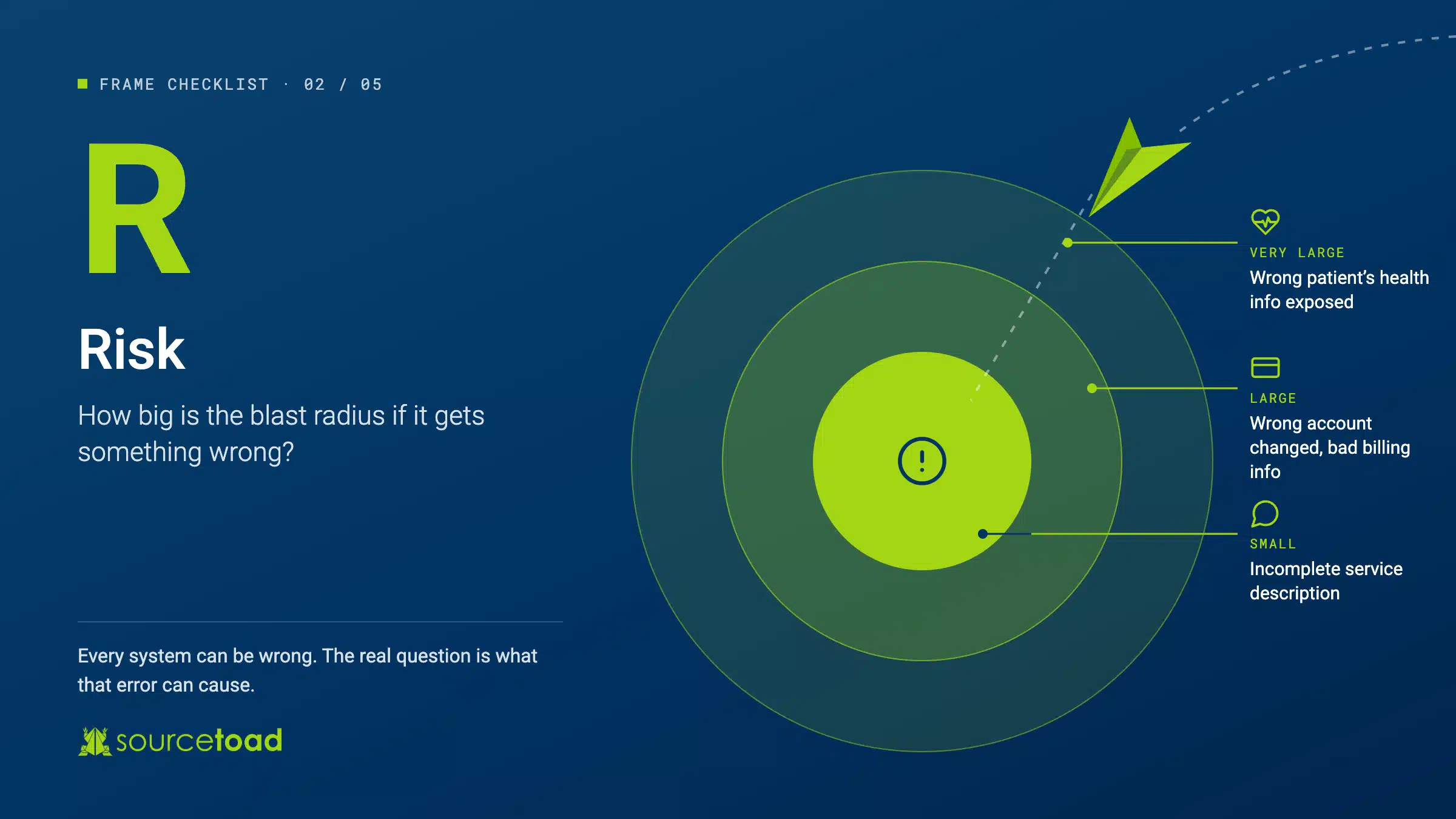
Next, ask what happens if the AI gets something wrong. This is the system’s blast radius, and it should directly influence how much freedom you give the automation.
A chatbot that gives an incomplete description of a service may cause some frustration or cost a booking. A chatbot that exposes the wrong patient’s healthcare information, changes the wrong account, or gives incorrect billing information creates a much larger problem.
The important question is not simply whether the model can be wrong. Every system can be wrong. The real question is what that error can cause.
Before launch, consider whether a bad response could expose private information, trigger a financial action, create legal liability, alter an important record, or seriously damage a customer relationship. The larger the possible blast radius, the more safeguards the system needs.
A: Authority
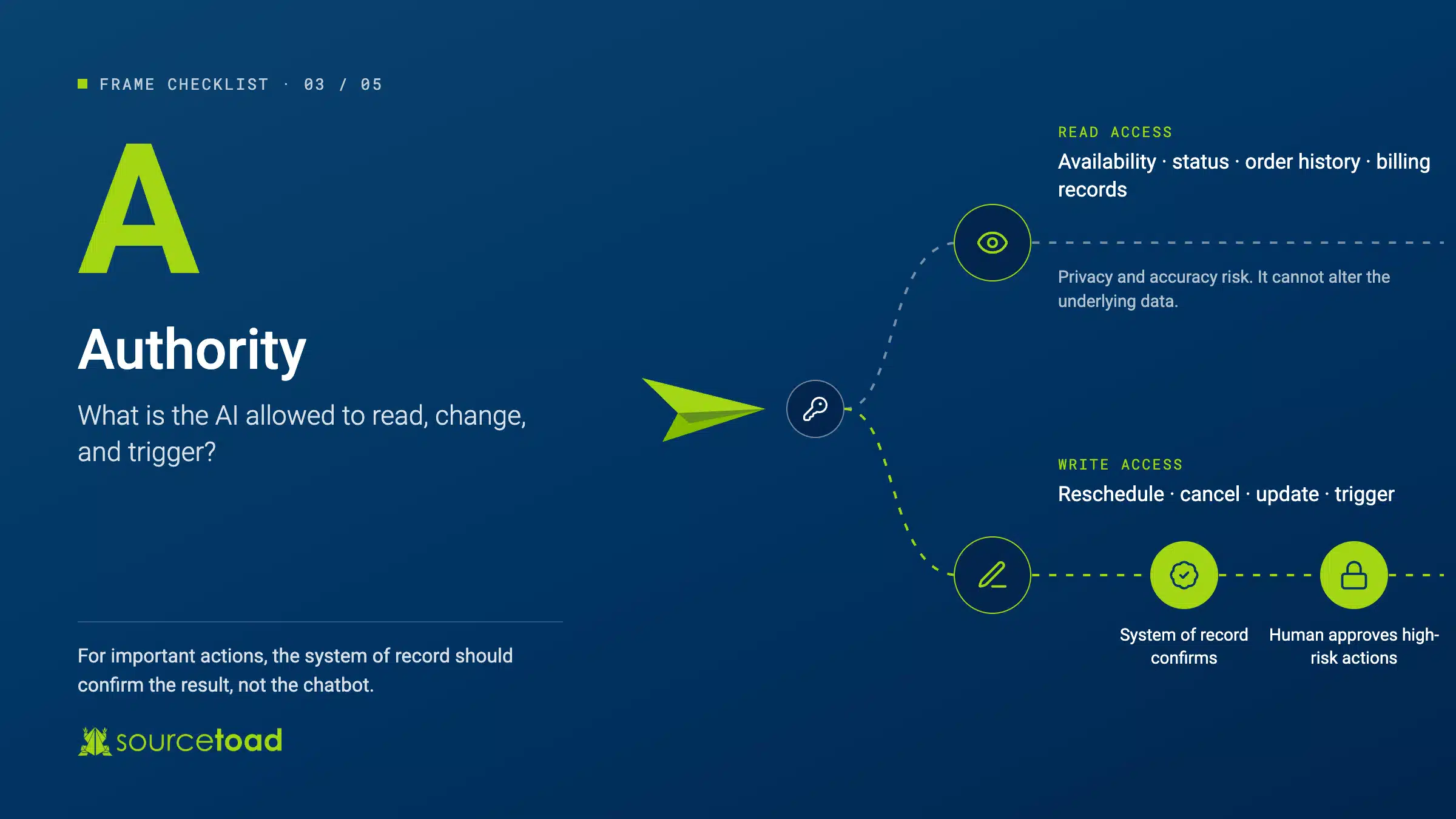
Once you understand the risk, decide exactly what the AI is allowed to do. This is where many implementations become more dangerous than they first appear.
A system with read access can retrieve information such as appointment availability, account status, order history, or billing records. That still creates privacy and accuracy concerns, but the system cannot directly alter the underlying data.
Write access is different. Once the AI can reschedule appointments, cancel reservations, update accounts, modify customer records, or trigger transactions, the possible failure modes increase significantly.
One of the most important risks is false confirmation. An AI system may tell a customer that an action was completed even though the underlying platform never successfully processed it.
For important actions, the authoritative system should confirm the result. If an AI agent reschedules an appointment, for example, the scheduling platform should independently send the confirmation. For higher-risk actions, human approval may still be the right requirement.
Before launch, document what the AI can read, what it can change, what it can trigger, and which actions require another system or a human to verify the outcome.
M: Mechanism of Truth
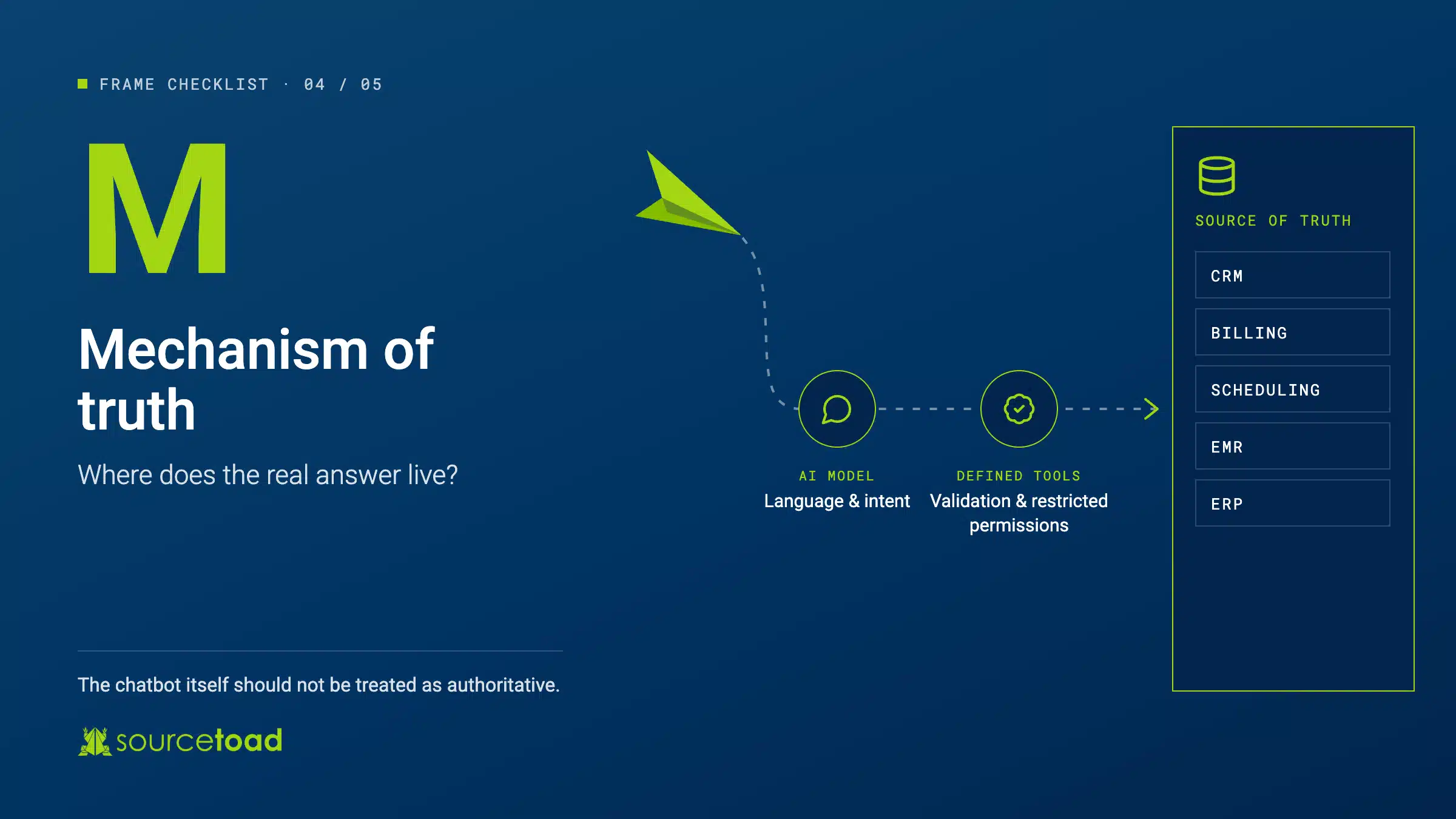
Every customer-facing AI tool needs a clearly defined source of truth. That source may be a CRM, billing platform, scheduling system, EMR, ERP, or another operational database, but the chatbot itself should not be treated as authoritative.
Problems can occur both before and after data is retrieved. The AI might query the wrong customer record, misunderstand the request, receive incomplete information, or fail to retrieve anything useful.
The bigger problem occurs when the model fills in those gaps. A plausible answer can sound completely authoritative even when the underlying data does not support it.
Before launch, make sure the AI is connected to the correct source of truth and that the connection is as structured as possible. Restricted permissions, clearly defined tools, validation rules, and reliable integrations can reduce how many decisions the model has to make on its own.
The AI should handle language and intent, while the surrounding software handles factual and transactional work wherever possible. The system’s confidence should also reflect the quality of the underlying data, because stale, incomplete, or poorly matched records should result in more cautious responses.
E: Escalation
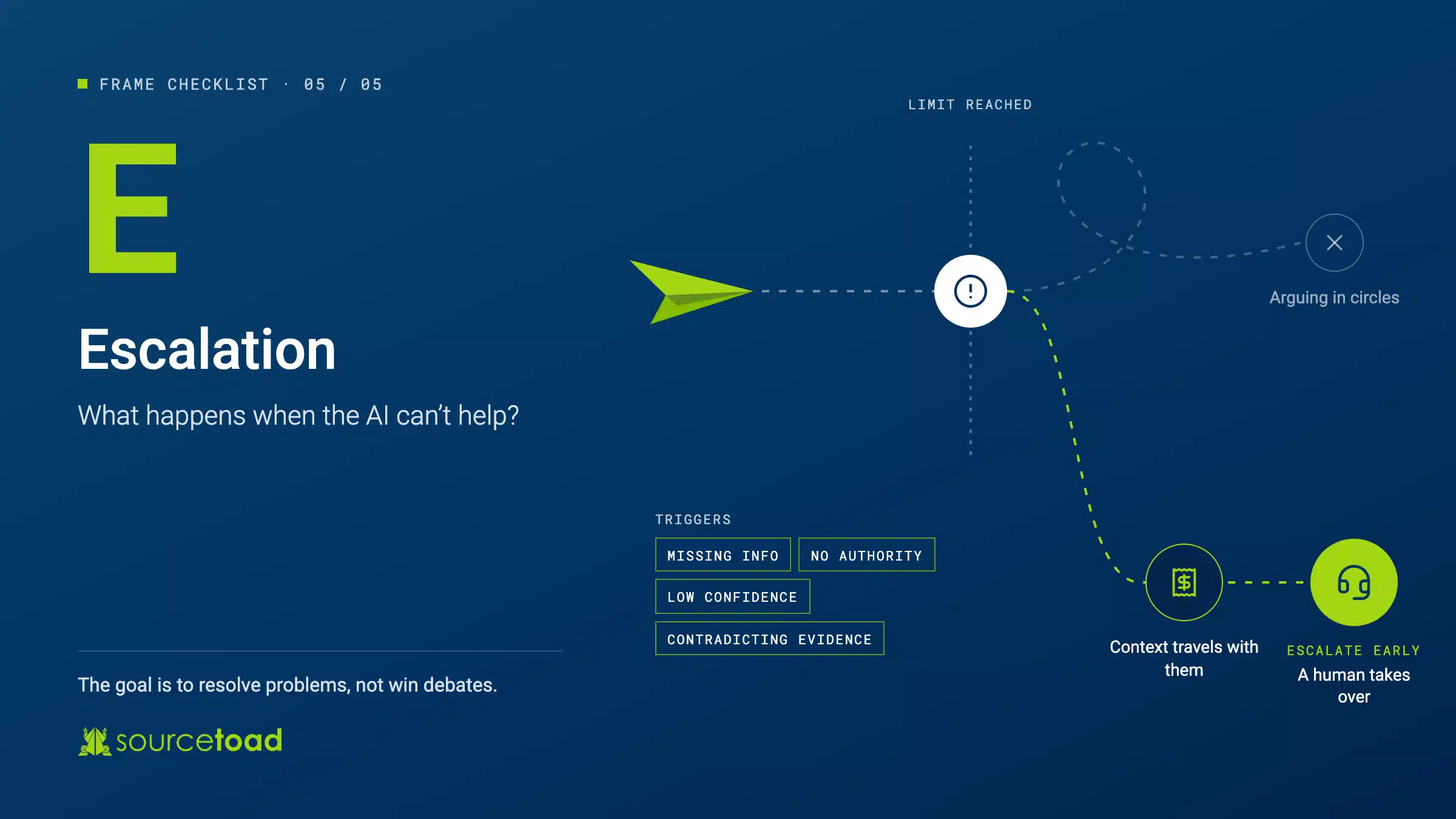
The final question is what happens when the AI cannot solve the problem. This should be designed before launch, not discovered after the first angry customer gets trapped in a dead end.
A good AI system should know when to stop. It should also know how to route the customer to a human and how to pass along enough context that the customer does not have to repeat the entire conversation.
Escalation should happen early when the system lacks the information, authority, or confidence required to resolve the issue. A quick admission of uncertainty is much better than a long conversation full of confident but incorrect answers.
The same rule should apply when a customer presents credible evidence that contradicts the system. A receipt, confirmation email, screenshot, or transaction record should increase uncertainty and trigger escalation rather than cause the chatbot to keep arguing.
Before launch, define the conditions that trigger escalation, where the customer goes next, what information follows them, and how your team will review what happened afterward.
Auditability Matters
Businesses also need visibility into what their AI systems are doing. When something goes wrong, teams should be able to see what the customer asked, what data the AI retrieved, what action it attempted, and how it responded. That requires logging, traceability, and regular testing. Important questions and actions should be tested continuously because models, prompts, integrations, and data can all change over time.
Off-the-shelf tools still need this level of attention. A chatbot may connect easily to a CRM or scheduling platform, but that does not mean it understands a particular company’s processes, permissions, exceptions, or risk tolerance out of the box.
Run FRAME Before You Launch
Before putting an AI-powered tool in front of customers, ask five questions. Where does it sit in the customer journey? What is the blast radius if it gets something wrong? How much authority does it have? Where does the authoritative information come from? What happens when it reaches the limits of what it can safely handle?
If those answers are unclear, the system probably is not ready for production yet. The goal is not to give AI as much autonomy as possible, but to give it the right amount of autonomy for the task, supported by reliable systems and sensible guardrails.
Customer-facing AI can make service faster, reduce repetitive work, and create a better experience for customers and employees. Those benefits are real, but the more consequential the task becomes, the more engineering discipline the system needs.
Sourcetoad helps organizations design and build AI-enabled software that works within real operational, security, and compliance constraints. If you are considering customer-facing automation, we can help evaluate the architecture, integrations, risk, and guardrails before the system reaches your customers.
Download our free, step-by-step FRAME guide!
Prefer to watch instead? Check out the YouTube episode that inspired this guide for a deeper discussion of the FRAME framework and safer customer-facing AI.